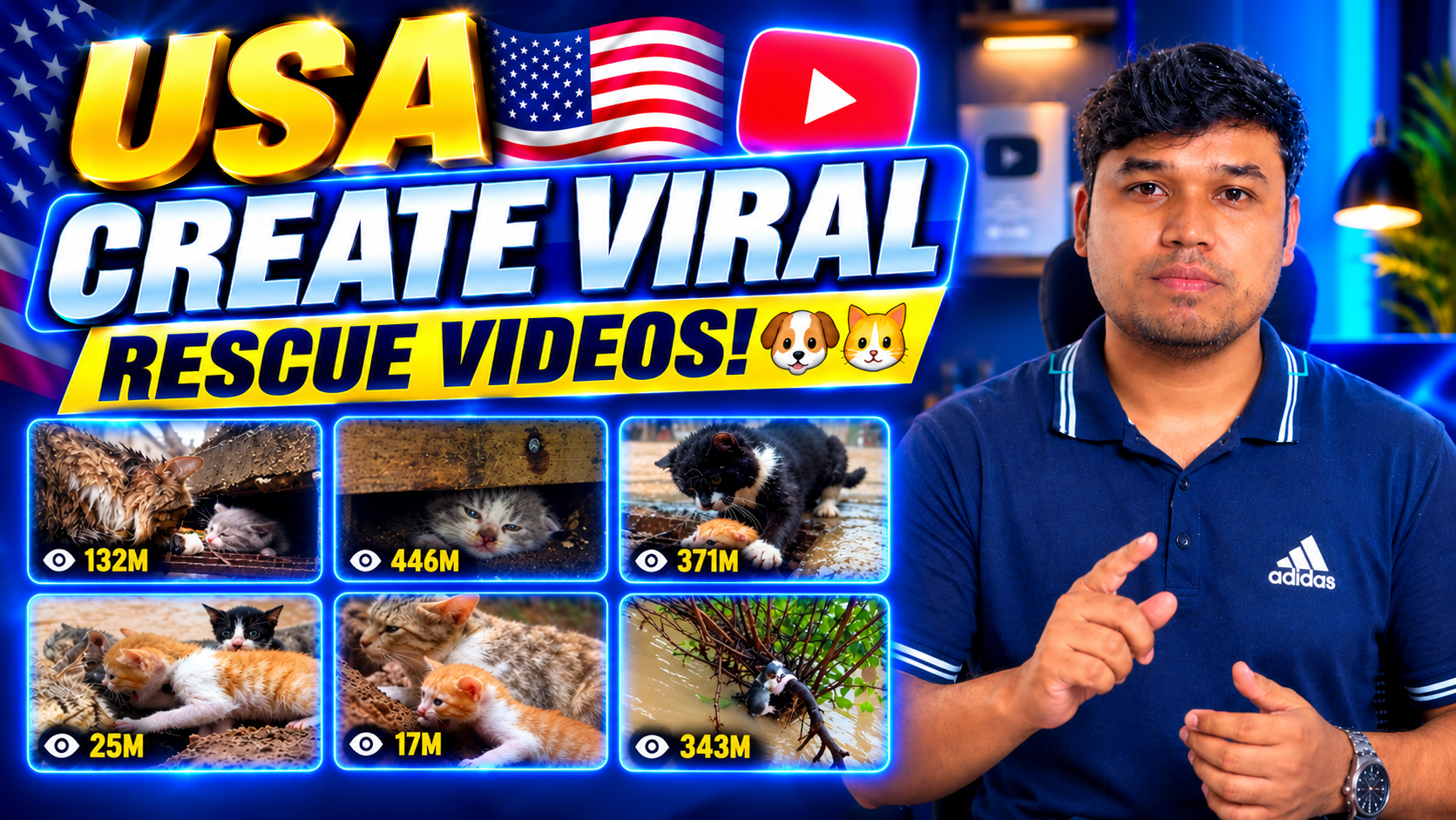
Do you want to create realistic, emotional, and engaging cat and dog rescue videos using artificial intelligence? With the right Master Prompt, you can turn a simple idea into a complete rescue story designed for Facebook Reels, YouTube Shorts, Instagram Reels, and TikTok.
In this guide, you will discover how to use the Free AI Cat & Dog Rescue Video Master Prompt to generate unique animal rescue stories with ChatGPT and Google Flow. You will learn how to create three connected video clips, maintain consistent animal characters, improve audio continuity, and develop emotional storylines that keep viewers watching until the end.
Whether you are a beginner or an experienced AI content creator, this workflow can help you build a repeatable system for producing short animal rescue videos.
What Is the AI Cat & Dog Rescue Video Master Prompt?
The AI Cat & Dog Rescue Video Master Prompt is a detailed set of instructions that guides ChatGPT in creating complete animal rescue video concepts and generation prompts.
Instead of asking ChatGPT for a simple idea such as “a puppy rescued from a drain,” you can use the Master Prompt to develop a full story with a beginning, middle, and ending.
Each story includes a clear danger, an emotional connection with the animal, a believable rescue process, and a satisfying conclusion.
The prompt also establishes rules for character appearance, camera movement, environmental details, physical interactions, and audio consistency.
This approach is particularly useful when creating videos with AI tools that generate short clips rather than one continuous 30-second video.
The goal is to create a connected story—not three unrelated clips.
What Types of Animal Rescue Videos Can You Create?
One of the biggest advantages of this Master Prompt is its flexibility. You can explore many different cat and dog rescue scenarios without relying on the same storyline every time.
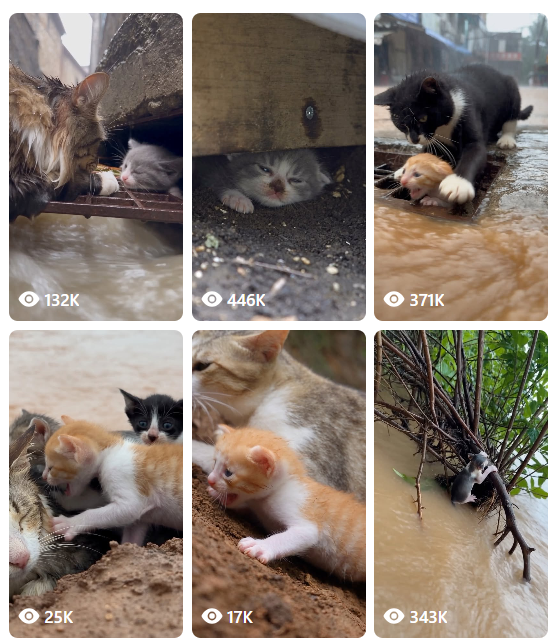
Here are some examples of possible video concepts.
1. Emotional Kitten Rescue Stories
Create stories about tiny kittens trapped in drainage channels, hiding beneath damaged porches, stranded in difficult-to-reach places, or separated from their mothers.
The storyline can focus on the kitten’s distress, a rescuer’s careful efforts, and the emotional moment when the animal finally reaches safety.
2. Dramatic Puppy Rescue Stories
Develop stories about puppies trapped behind fallen fences, stuck in muddy ditches, stranded inside damaged sheds, or unable to escape a blocked passage.
The rescue should involve a visible obstacle that requires a believable solution rather than an instant transformation from danger to safety.
3. Mother and Baby Reunions
Mother-and-baby stories can create a powerful emotional connection when handled naturally.
For example, a puppy may become separated from its mother by a fallen barrier. A rescuer carefully creates a safe opening, allowing the puppy to return to its mother.
Other stories might involve a mother cat waiting anxiously while her kitten is rescued.
4. Difficult Environmental Rescues
Explore different environments, including rainy suburban streets, rural farms, wooded trails, muddy fields, damaged backyard structures, and roadside drainage channels.
Change the environment and the physical obstacle to create new storytelling possibilities.
These are only examples. The Master Prompt encourages new combinations of animals, locations, obstacles, rescue techniques, and emotional endings.
How the 30-Second Rescue Video Format Works
Every video is divided into three separate clips, each lasting exactly 10 seconds.
The clips are designed to be assembled into one 30-second video.
Part 1: The Danger and Emotional Hook (0–10 Seconds)
The first part introduces the animal’s predicament immediately.
The opening should make the viewer understand what is wrong without requiring a long explanation. Show the animal, the obstacle, and the reason it needs help.
For example, a small kitten might be trapped inside a concrete drainage channel after heavy rain. It cries while trying to climb the slippery wall, and a passerby notices the situation.
The first part establishes the location, the animal’s appearance, the rescuer, and the beginning of the rescue.
It should end with the rescue still in progress, creating a natural transition into Part 2.
Part 2: The Main Rescue (10–20 Seconds)
The second part continues from the exact physical arrangement shown at the end of Part 1.
The rescuer might remove an obstruction, carefully support the animal, create an opening, or use an appropriate rescue tool.
The viewer should see how the problem is solved.
Avoid skipping the important action. If the animal is trapped at the beginning, show the physical steps that allow it to become free.
Part 2 should end at a clearly defined stage of safety, ready for the final part.
Part 3: Recovery and Emotional Resolution (20–30 Seconds)
The final part continues the action and completes the story.
Depending on the scenario, the animal might reunite with its mother, settle into a towel-lined carrier, receive gentle comfort, or safely approach the person who rescued it.
The ending should feel connected to the danger and rescue shown earlier.
Not every story needs the same ending. Variety makes a collection of rescue videos more interesting.
How to Use the Master Prompt
Follow these steps to start creating your own AI animal rescue stories.
Step 1: Copy the complete Master Prompt
Use the Copy Master Prompt button on this page to copy the entire prompt. Paste it into a new ChatGPT conversation and submit it.
Make sure you copy the complete instructions rather than only the introductory explanation.
Step 2: Enter an idea number
After ChatGPT receives the Master Prompt, enter a command such as:
IDEA 001 — CAT RESCUEIDEA 002 — DOG RESCUEIDEA 003 — KITTEN RESCUEIDEA 004 — PUPPY RESCUEIDEA 157 — Surprise me
ChatGPT will use the instructions to develop a complete video package.
Step 3: Review the three video prompts
The generated package should include a story concept, character descriptions, location details, audio instructions, three standalone video prompts, and a caption with relevant hashtags.
Review the prompts to ensure that the story is physically plausible and that all three parts describe the same characters and location.
Step 4: Generate Part 1
Open Google Flow or another compatible AI video generator. Use the first 10-second prompt to create the opening clip.
Check the animal’s appearance, the location, the rescue obstacle, and the final frame.
Step 5: Generate Part 2
If your video tool supports reference images or starting frames, use the final frame from Part 1 as the starting reference for Part 2.
This can help preserve the animal’s position, the rescuer’s hand placement, the camera angle, and the arrangement of objects.
Step 6: Generate Part 3
Repeat the process using Part 2’s final frame as the reference for Part 3.
The final clip should continue the same rescue and deliver the emotional conclusion.
Step 7: Edit the three clips together
Import all three clips into a video editor such as CapCut or Premiere Pro.
Arrange them in order, check the transitions, match the ambient audio, and remove any unintended gaps. Export the finished video in vertical 9:16 format.
How to Maintain Character Consistency
One of the most common challenges in AI video generation is character inconsistency.
A kitten may change its fur markings between clips, a puppy may appear larger, or a rescuer may suddenly wear different clothes.
The Master Prompt addresses this problem by defining a Character Bible before the video prompts are written.
The Character Bible should describe:
- Animal type, approximate age, and body size.
- Fur color, distinctive markings, and visible features.
- Collar, harness, or other accessories.
- The rescuer’s clothing, hairstyle, and appearance.
- Each character’s starting position and relationship to the environment.
These descriptions should be repeated in all three prompts.
The prompts should also explain where each animal and person is located at the end of one clip and the beginning of the next.
Important: Text instructions improve consistency, but they cannot guarantee identical characters in every generated frame. Reference images, starting-frame controls, and careful review can improve the results.
How to Make All Three Parts Sound Consistent
Audio continuity is just as important as visual consistency.
Imagine a rescue video in which the rain suddenly disappears, the kitten’s voice changes, or the background noise becomes completely different between clips. Even if the images look similar, the finished video may feel disconnected.
The Master Prompt establishes an Audio Bible to help avoid these problems.
It defines the natural background sounds, animal vocalizations, rescuer’s voice, environmental conditions, and recording perspective.
For example, a rainy rescue might include flowing water, light rain, distant birds, footsteps, and the kitten’s meows.
Part 2 should continue those sounds naturally. Part 3 can become quieter as the situation improves, but the change should be gradual and believable.
When editing, use matching ambience where appropriate and adjust the perceived loudness of each clip. Avoid sudden silence, unexpected music, or abrupt volume changes.
Remember that identical audio cannot be guaranteed by a text prompt alone. Review the generated clips and make adjustments in your editor.
Tips for Creating More Engaging Animal Rescue Stories
Use these principles when developing your video collection.
Start with a clear visual problem. Viewers should understand the danger within the first few seconds.
Show the rescue process. Do not jump directly from a trapped animal to a completely safe animal without showing how the rescue happens.
Use believable animal behavior. Natural meowing, whimpering, cautious movements, and realistic reactions can make a story feel more convincing.
Create emotional variety. Some stories can focus on a mother and baby, while others can emphasize trust, relief, recovery, or a stranger’s compassion.
Avoid unnecessary complications. Do not introduce a new rescuer, another animal, or an unrelated event unless it serves the story.
Keep the ending satisfying. A meaningful reunion or a moment of comfort can be more powerful than an exaggerated dramatic ending.
Review every generated clip. AI video tools may produce inconsistent anatomy, object positions, or movement. Regenerate or edit clips when necessary.
Can You Create Thousands of Different Rescue Videos?
The idea-number system makes it easy to request new stories without writing a long creative brief each time.
You can use different numbers to request different concepts, while the Master Prompt provides the same overall production framework.
However, an idea number does not automatically guarantee a completely original story. If you have already generated many videos, keep a simple record of their titles, animals, obstacles, locations, and endings.
This will help you avoid repeating the same core storyline.
You can also specify a preferred category, such as CAT RESCUE, DOG RESCUE, KITTEN RESCUE, or PUPPY RESCUE, whenever you want more control over the result.
The number system is a convenient starting point for brainstorming—not a guarantee that every possible number has a unique predefined story.
Frequently Asked Questions
Is the AI Cat & Dog Rescue Master Prompt free?
Yes. You can copy the Master Prompt from this page and use it to request rescue-story ideas from ChatGPT. The availability and cost of ChatGPT, Google Flow, and other video-generation features depend on their respective plans and current limits.
Can beginners use this prompt?
Yes. The workflow is designed to be easy to follow. Start by copying the prompt, submitting an idea number, and generating each of the three video parts.
Can I use the prompts with Google Flow?
The prompts are designed for short AI video generation workflows, including compatible Google Flow features. Available duration options, reference-frame controls, and generation limits may vary.
Why are three separate clips required?
The workflow divides the 30-second story into three 10-second parts. This makes it easier to control the story’s progression and manage continuity between clips.
Will the animal look exactly the same in all three parts?
Not necessarily. Detailed character descriptions and reference frames can improve consistency, but AI generators can still produce visual differences. Review each clip before combining them.
Can I publish these videos on social media?
You can prepare videos for platforms such as Facebook Reels, YouTube Shorts, Instagram Reels, and TikTok, subject to each platform’s current rules. Review monetization, originality, disclosure, and other applicable policies before publishing.
Are these real animal rescue events?
The generated stories are fictional AI creations unless independently verified otherwise. Do not present AI-generated footage as documented real-life rescues.
Start Creating Your Own AI Animal Rescue Videos
You now have a structured way to turn a simple idea number into a complete short animal rescue story.
| Copy Free Resce Master Prompt |
|---|
| Rescue Videos |
| More Master prompt |
Copy the free Master Prompt, open ChatGPT, choose your first idea number, and generate three connected 10-second clips.
Focus on realistic animal behavior, consistent characters, a believable rescue process, and a meaningful ending.
Create with compassion, tell better stories, and make every rescue count.
Disclosure: AI-generated animal rescue videos are fictional creative content and should not be misrepresented as real rescue footage.