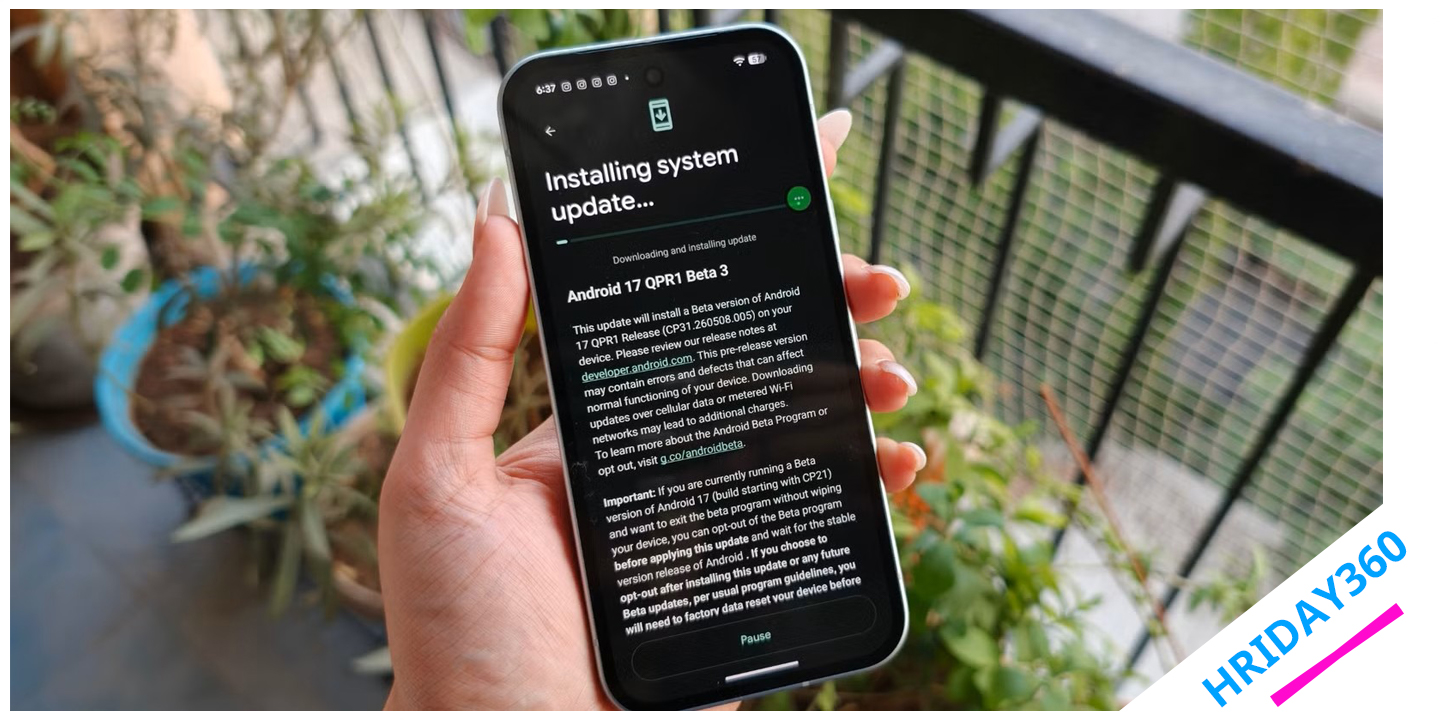
After Google’s annual Android announcements at The Android Show and Google I/O, Android quickly became the center of attention. Google showcased a variety of new features, AI-powered improvements, visual updates, and system enhancements that offered a glimpse into the future of Android. Naturally, many Pixel users became curious about what the upcoming Android 17 experience would actually feel like in everyday use.
Instead of waiting for the stable release, I decided to install the Android 17 beta on my Google Pixel 10a. After spending several days using it as my primary device, I discovered that Android 17 isn’t just another routine software update. While it doesn’t dramatically change the entire interface, it introduces several thoughtful improvements that make the phone feel smoother, smarter, and more enjoyable to use.
The most surprising part is that many of the best features work quietly in the background. Rather than overwhelming users with flashy additions, Android 17 focuses on solving everyday frustrations and improving the overall experience.
Smarter Memory Management Improves Performance
One of the most important improvements in Android 17 is something most users may never notice directly. Google has introduced a smarter memory management system designed to prevent poorly optimized apps from consuming excessive RAM.
On previous Android versions, a single app with a memory leak could cause noticeable problems. Animations might become sluggish, apps could reload more frequently, and battery life would often suffer. Over time, the entire phone could feel slower and less responsive.
Android 17 addresses this problem by automatically applying intelligent memory limits based on the amount of RAM available on the device. Instead of allowing apps to consume unlimited resources in the background, the operating system now intervenes earlier to prevent performance issues from spreading throughout the system.
The result is a smoother experience during daily tasks such as:
- Browsing social media
- Watching videos
- Gaming
- Switching between apps
- Multitasking
Most users won’t notice this feature working because it operates silently behind the scenes. However, that’s exactly what makes it effective. Android 17 prevents problems before they become visible.
This change also encourages developers to optimize their applications. Apps that manage memory efficiently launch faster, perform better, and consume less battery power, creating a better experience for everyone.
Per-App Theme Control Adds Personalization
Another Android 17 feature that quickly became one of my favorites is per-app theme customization.
For years, Android users have been able to switch between light mode and dark mode. While this works well for most people, it forces every app to follow the same appearance settings.
Android 17 changes that.
Users can now choose light mode or dark mode individually for specific applications. Although this may sound like a minor change, it significantly improves personalization.
For example, I prefer dark mode for entertainment apps such as:
- YouTube
- X (Twitter)
Dark interfaces are easier on the eyes, especially during late-night browsing sessions.
However, when it comes to productivity applications like:
- Slack
- Microsoft Teams
- Gmail
I actually prefer light mode. Bright interfaces help me stay focused and alert while working.
With Android 17, I can finally mix both styles without constantly changing my system-wide theme settings. This level of customization makes the phone feel more personal and adaptable to different situations throughout the day.
Bubbles Make Multitasking Easier Than Ever
One of the most practical additions in Android 17 is the improved Bubbles feature.
Although Android has experimented with floating conversations before, Android 17 refines the experience significantly.
Bubbles create small floating shortcuts that remain accessible on the screen while using other apps. Think of them as miniature windows that allow quick access to conversations or important applications without interrupting what you’re currently doing.
For example, I can:
- Watch a YouTube video
- Reply to a work message
- Check Slack notifications
- Open a browser
- Return to my video
All without repeatedly opening and closing applications.
This creates a much smoother multitasking experience.
On compact devices like the Google Pixel 10a, screen space is limited. Constant app switching can quickly become frustrating. Bubbles solve this problem by allowing users to keep important conversations within easy reach.
After using the feature for several days, it started feeling completely natural. Instead of breaking focus every time a message arrives, I can respond quickly and continue what I was doing.
For users who frequently juggle work, social media, and entertainment throughout the day, Bubbles can dramatically improve productivity.
Android 17 Makes Small Phones Feel More Powerful
Modern smartphones continue to grow larger every year, but many users still prefer compact devices.
The Google Pixel 10a offers a manageable size while still delivering solid performance. However, smaller screens can sometimes limit multitasking capabilities.
Android 17 helps overcome these limitations.
Features like:
- Smarter memory management
- Floating Bubbles
- Faster app switching
- Improved background optimization
allow smaller phones to behave more like larger productivity devices.
Instead of feeling constrained by screen size, Android 17 helps users maximize every inch of available space.
For Pixel 10a owners, this creates a noticeable difference in day-to-day usability.
Better Battery Efficiency Without Sacrificing Performance
Battery optimization remains one of Android’s biggest priorities, and Android 17 introduces improvements that contribute to longer battery life.
The new memory management system prevents resource-hungry apps from continuously running in the background. This reduces unnecessary CPU activity and lowers power consumption.
As a result, users may notice:
- Reduced battery drain
- Better standby performance
- Less background activity
- More consistent daily battery life
Rather than aggressively shutting down apps, Android 17 focuses on smarter resource allocation. This creates a balance between performance and efficiency.
The phone remains responsive while consuming less power.
Upcoming Privacy and Security Improvements
Although not every Android 17 feature is available in the current beta, Google has already confirmed several upcoming privacy and security enhancements.
Some of the expected improvements include:
Smarter Contact Permissions
Users will have more control over which contacts applications can access, improving privacy without sacrificing functionality.
Enhanced Location Controls
Android 17 aims to provide clearer information about how apps access location data, helping users make more informed privacy decisions.
Improved Security Protections
Google continues to strengthen Android’s security framework with new protections designed to safeguard user data and reduce unauthorized access.
These updates may not generate headlines, but they play a crucial role in making Android safer and more trustworthy.
Android 17 Focuses on Real Everyday Improvements
Many software updates focus heavily on visual redesigns or flashy new features. Android 17 takes a different approach.
Instead of radically changing Android’s appearance, Google has concentrated on refining the experience users encounter every day.
Key areas of improvement include:
| Feature | Benefit |
|---|---|
| Smarter Memory Management | Better performance and battery life |
| Per-App Themes | Personalized app appearance |
| Improved Bubbles | Easier multitasking |
| Better Optimization | Faster and smoother experience |
| Enhanced Privacy | More control over personal data |
| Battery Efficiency | Longer daily usage |
These enhancements may appear small individually, but together they create a noticeable improvement in overall usability.
After spending time with the Android 17 beta on the Google Pixel 10a, one thing became clear: the best software updates aren’t always the most dramatic.
Android 17 doesn’t completely reinvent Android. Instead, it focuses on improving the countless small interactions users experience every day.
Smarter app management, improved multitasking, better customization, enhanced privacy controls, and more efficient resource usage all work together to make the phone feel fresher and more refined.
My Pixel 10a feels faster, lighter, and more responsive than before, not because of one revolutionary feature, but because Android 17 improves dozens of small details that matter over time.
For Pixel users waiting for the stable release, Android 17 is shaping up to be one of Google’s most practical and polished Android updates yet.